


REC - Screen | Video Recorder
4.62.31K Reviews
App Specs
- Version
- 4.6.12.1
- Updated On
- License
- Free
- Downloads
- 10,000,000+
- Developer
- ZipoApps
- Categories
- Video Players & Editors
- Platform
- Android, iOS
Screenshots
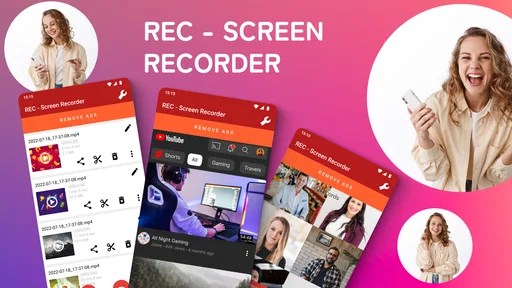
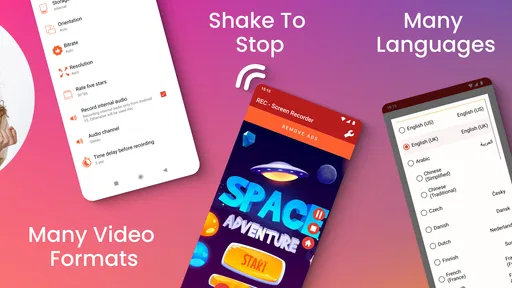
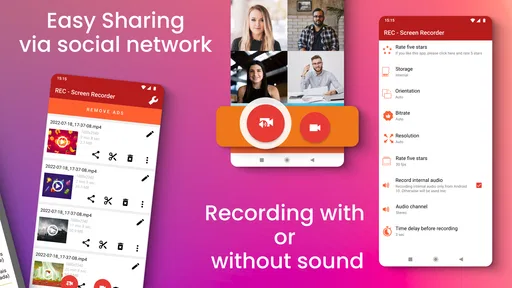
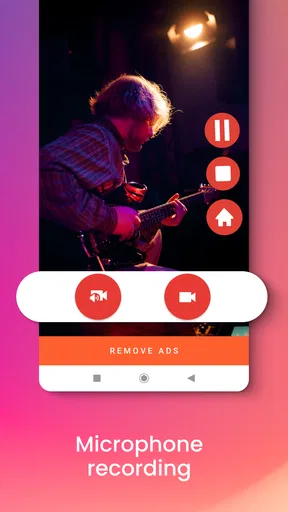
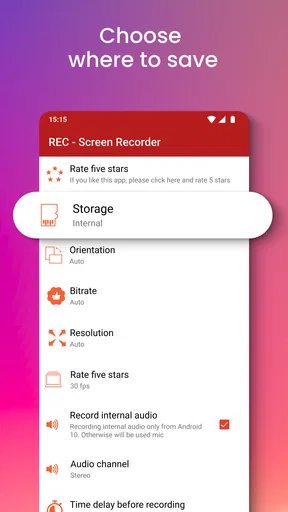
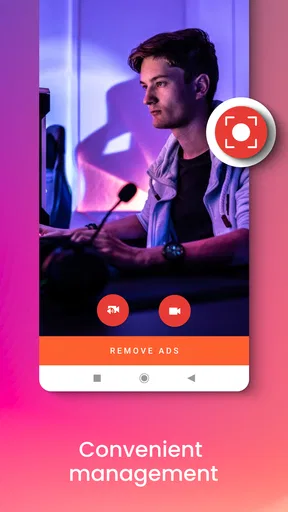
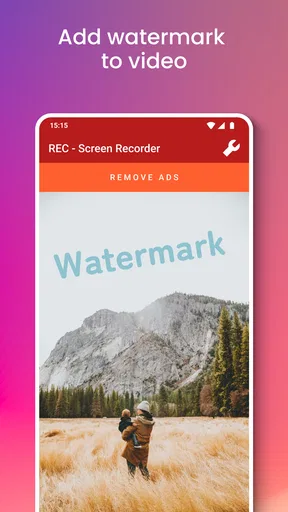
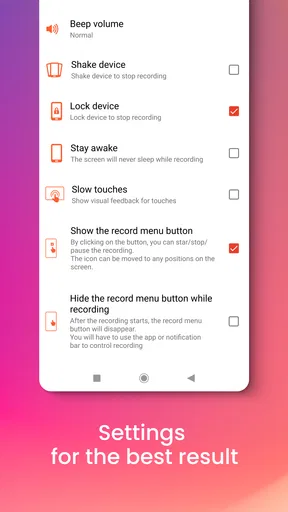
 Analysis by AppCompare
I judge a screen recorder less by its promise of sharp video than by how confidently I can use it when the screen contains something private. REC - Screen | Video Recorder is a free app from ZipoApps in the video players and editors category. It has an average rating of 4.6 from around 311,000 ratings, and more than 10 million installs. Those figures suggest it has found a broad audience, but they don’t tell me whether it suits every recording task. My view is that it is best approached as a convenient tool for ordinary screen captures, with a little care around what you record and where you send it.
Start with a recording you can afford to test
Before relying on any screen recorder for a work presentation, an important tutorial, or a long gaming session, I’d make a short test clip. That simple check helps you see how the recording looks on your own device, whether the sound is captured as you expect, and how much room the resulting file takes. Screen recording asks the phone to capture its display while running another app, so the experience can vary with the device and the task. A quick trial is more useful than assuming a setting that sounds impressive will fit every situation.
The app’s summary says it can record in HQ, FHD, and UHD, which gives you a choice between different levels of video detail. In practice, I would start with the least demanding option that still looks clear enough for the intended viewer. A compact clip is easier to store, review, and share; higher detail is more helpful when small text or interface elements need to remain legible. That trade-off matters especially for tutorials, where clarity is more important than making every frame as large as possible.
Keep the recording focused and manageable
A useful screen recording is often shorter than the session that produced it. If I were demonstrating a setting, I’d decide on the steps first, close unrelated screens, and record a brief run-through before making the final version. This avoids spending time trimming pauses and accidental detours later. It also makes it easier to notice whether a notification or private detail has appeared in the captured footage.
That last point is worth treating as a routine rather than an afterthought. Before recording, I’d silence or otherwise manage interruptions using the phone’s own controls, and I’d avoid opening messages, account pages, or other sensitive screens unless they are essential to the demonstration. A screen recorder captures what is visible; once a clip is saved or shared, the audience may see more than the intended instruction. For a public tutorial, reviewing the entire video before posting is a sensible final step.
What the trust picture can—and cannot—tell you
REC is rated for Everyone, and it is free to install, with optional in-app purchases priced from $0.99 to $99.99 per item. The current version is 4.6.11, and the stated minimum Android requirement is 5.0. These details help set expectations about access and compatibility, but they do not by themselves explain how recordings or other information are handled. I would not treat popularity, a simple setup, or a familiar interface as proof of a particular privacy practice.
When I install any recorder, I pay attention to the permission prompts that appear on my device and ask whether each one makes sense for the task I’m trying to perform. I also check the app’s visible settings and the phone’s system controls before capturing anything sensitive. If a prompt or choice feels unclear, I would pause rather than grant access automatically. That is a practical way to stay in control without assuming details about the app’s data practices that I can’t establish from using its basic recording workflow.
Worth Reading Before You Choose

Flipboard Shows What News Apps Must Do Beyond the Feed

Switching to Android Auto Means Rethinking Your Driving Routine

Google Calendar Makes a Crowded Week Easier to Manage

Ludo King Makes the Most of the Minutes Between Plans

Baby Panda World Brings Quick Play to Modern Phones, but Its Game Library Feels Busy

ESPN’s Live Game View Makes Following Close Games Easier
Choose the right tool for the job
For a quick clip, a built-in screen-recording tool is often the simplest alternative: it is already on many phones and can be enough when you only need to capture a short sequence. A dedicated app such as REC is more appealing if you specifically want a recorder focused on video options and a straightforward capture workflow. On the other hand, if your project depends on detailed editing, layered narration, or polished captions, a full video editor will usually be a better fit after recording. I’d choose based on the finished clip I need, not simply on the number of controls an app offers.
For example, imagine a friend asking how to change a setting in an app. I’d make a short capture showing only the relevant taps, choose a resolution that keeps the labels readable, and check the sound before recording the explanation. Then I’d watch the clip once, trim away the lead-in if the app’s editing tools let me do so comfortably, and share the finished file only through a destination I trust. That workflow keeps the recording useful without turning a small favor into a lengthy editing job.
Who will get the most from it
I’d recommend trying REC if you want to capture app demonstrations, save a short gameplay moment, or explain a phone task to someone who needs to see each step. It should also suit people who prefer a dedicated recorder to searching through broader editing software for a basic capture function. Its appeal is that the task stays focused: record the screen, make a quick adjustment if needed, and use the resulting video elsewhere.
I’d look elsewhere if your priority is advanced post-production, a highly controlled recording setup, or a documented privacy workflow that you need to assess before installation. I’d also avoid treating any recorder as a guaranteed solution for every app or device: test the specific screen and audio you plan to capture first. The app is free to start, but the presence of optional purchases means I’d check the purchase choices on the device before buying anything rather than assuming every feature is included at no cost.
REC - Screen | Video Recorder was released on August 23, 2016, and its current version is 4.6.11. I see it as a practical candidate for everyday screen capture, not as an automatic replacement for a phone’s built-in recorder or a dedicated editing suite. If you value a direct recording workflow and are willing to check your settings, permissions, and finished clips yourself, it is worth considering. If you need stronger guarantees about data handling or more precise production controls, compare alternatives before putting sensitive or high-stakes material on screen.
Ever stumbled upon an app that feels like it was designed just for you? Well, that’s exactly how I felt when I tried out REC - Screen | Video Recorder. This app is like having a magic wand that turns your screen into a personal movie set, perfect for capturing every little detail you need. Whether you’re a gamer wanting to show off your skills or a professional needing to record a tutorial, this app’s got your back.
First Impressions and Ease of Use
Let’s dive into the nitty-gritty of using REC - Screen | Video Recorder. Right off the bat, the installation process was a breeze. No weird permissions that make you second-guess your life choices. Just a straightforward setup that had me ready to roll in no time. Once I opened the app, the interface greeted me with simplicity. It’s like meeting an old friend who knows exactly what you need without asking.
The home screen is clean and intuitive, with all the important features just a tap away. I didn’t have to dig through layers of menus to find what I needed. Everything is laid out in a way that makes sense, even for someone who isn’t tech-savvy. Honestly, that’s a huge win in my book.
Recording Like a Pro
Now, onto the main event: recording. Hitting that record button felt pretty satisfying. The app offers a range of resolution options, so whether you’re going for a high-def masterpiece or something more compact, you’ve got choices. The quality is top-notch, capturing every pixel with precision.
One feature that really stood out to me is the ability to record audio alongside video. This is perfect for those moments when you need to narrate what’s happening on the screen. The audio syncs beautifully, eliminating the dreaded lag that can ruin a recording.
Editing and Sharing
Once you’ve got your recording, the app doesn’t just leave you hanging. It offers some nifty editing tools that let you trim and tweak your video to perfection. While it’s not a full-fledged editing suite, it does the job for quick fixes. And when you’re ready to share your masterpiece with the world, the app makes it super easy. One tap, and you’re uploading to your favorite platform or saving it to your device.
Performance and Reliability
In terms of performance, REC is a champ. I didn’t experience any crashes or glitches, which is always a relief. The app runs smoothly, and even during lengthy recording sessions, it didn’t miss a beat. It’s reliable, which is crucial when you’re capturing something important. No one wants to deal with a failed recording!
Battery usage is another aspect to consider, and I’m happy to report that REC is pretty efficient. It doesn’t drain your battery like some other apps do, so you can record without constantly worrying about your phone dying mid-session.
Final Thoughts
To wrap it up, REC - Screen | Video Recorder is a solid choice for anyone looking to capture their screen effortlessly. It’s user-friendly, reliable, and offers just the right amount of features without overwhelming you. Whether you’re a pro or just starting out, this app is a handy tool to have in your digital arsenal.
If you’re on the hunt for a screen recording app that gets the job done without any fuss, give REC a shot. You might just find it’s exactly what you’ve been looking for. Happy recording!
Pros
- High-quality video recording capabilities.
- Intuitive and user-friendly interface.
- Flexible recording options and settings.
- Minimal impact on device performance.
- Supports various video formats.
Cons
- Limited editing tools available.
- Ads can be intrusive at times.
- No cloud storage integration.
- Advanced features require in-app purchases.
- Occasional bugs with audio sync.
FAQs for REC - Screen | Video Recorder
What features does REC - Screen | Video Recorder offer?
REC - Screen | Video Recorder offers a comprehensive range of features including high-definition screen recording, audio capture from both internal and external sources, and customizable video settings. Users can also schedule recordings, pause and resume as needed, and share videos directly from the app, making it versatile for various recording needs.
Is REC - Screen | Video Recorder free to use?
REC - Screen | Video Recorder offers both free and premium versions. The free version includes basic recording features, while the premium version unlocks advanced settings such as higher resolution recording, ad-free experience, and additional customization options. Users can choose based on their specific requirements and budget.
Does REC - Screen | Video Recorder require root access?
No, REC - Screen | Video Recorder does not require root access on Android devices. This makes it accessible and easy to use for a wider audience, as rooting can void warranties and pose security risks. Users can enjoy full functionality on both rooted and non-rooted devices.
Can REC - Screen | Video Recorder capture audio?
Yes, REC - Screen | Video Recorder can capture audio from both the device's system and an external microphone. This feature is particularly useful for creating tutorials or presentations where audio commentary is needed alongside the video. Users can adjust audio settings within the app for optimal results.
What devices are compatible with REC - Screen | Video Recorder?
REC - Screen | Video Recorder is compatible with a wide range of Android and iOS devices. To ensure smooth performance, it is recommended to use the app on devices running Android 5.0 (Lollipop) or later, and iOS 11.0 or later. Users should check for any specific device compatibility notes in the app store description.


